

Keeping Safe Online
Key takeaways
- If someone is monitoring or controlling you, your online activity may not be private.
- You can take practical steps to browse more safely, such as using quick exits, clearing browser history, and private browsing.
- Technology-facilitated abuse is a form of family violence and is illegal in Australia.
- Help and specialist support are available if you’re concerned about your digital safety.
In this article: Safety tips for using TraumaConnect | Deleting your browser history | Incognito mode/private browsing | If you think your device is being monitored | General tips when using technology | Changing your online behaviour | Where to get more help
With our increasing reliance on the digital world for information and connection, if you are experiencing family violence or other forms of control, your use of the internet may also be monitored and controlled. If you are concerned that someone may be monitoring your online activities, this page outlines a few practical steps you can take to browse safely and privately.

Safety tips for using TraumaConnect
It is important to consider what actions you might take if you feel unsafe using our website or app. The quickest and easiest way to exit our website or app is to close the page you are viewing. On the web, you can do this by clicking on the 'X' in the top right-hand corner. This will take you to your desktop, phone home screen, or any window you have open behind the browser. Some people like to have a general document or window open behind their browser, as quickly closing the window to the desktop might raise the suspicion of the person monitoring you. Consider opening a general word document you've been working on, or a general website like your email, online shopping or general information article, that is similar to things you would ordinarily look at on the computer.
You can also hit the Quick Exit button in our menu which will take you to Google.
Your browser keeps a list of every website that you have visited, stored in your Browsing History. If you are being monitored, you may also want to consider deleting your browsing history, as the person monitoring you may also check that list. Closing the browser will not delete your browsing history.
Deleting your browser history
If your online activities are being monitored, one place the person monitoring you may check is your 'Browser History.' This is an automatically created list of all of the websites you have visited.
To avoid the person monitoring you reading this list, you can delete it.
To delete your browser history for your specific browser or device visit:
- deleting browser history in Google Chrome
- deleting browser history in Microsoft Edge
- deleting browser history in Mozilla Firefox
-
deleting browser history in Safari

Incognito mode/private browsing (available on the website but not on the TraumaConnect app)
Another way to view and access our content and support is through using private browsing. 'Incognito' or private mode is a feature in most modern web browsers that allows users to browse the internet without saving certain data to your computer. When activated, this mode creates a temporary session separate from the main browser session, ensuring that browsing history, cookies, site data, and search history are not saved.
This feature is particularly useful for maintaining privacy on shared or public computers and means you won’t have to delete your data once you finish using the computer. To learn how to access incognito mode/private browsing on your device/browser visit:
- private browsing in Google Chrome
- private browsing in Mozilla Firefox
- private browsing in Microsoft Edge
- private browsing in Safari
If you think your device is being monitored
If you think your computer, tablet or smartphone is being monitored, please exit this website and delete it from your browser history.
If you’re unsure whether your device is being monitored, or want to learn more about Spyware and device monitoring, visit this page.
General tips when using technology
Technology-facilitated abuse (tech abuse) occurs when someone uses technology to harm, threaten, monitor, stalk, harass, or control another person. It is a form of family violence and is illegal in Australia.
If someone who has been abusive has had physical access to your device, your digital safety may be at greater risk. Consider using a secure device — one they have not and will not access. In some situations, it may be safer to use a trusted friend’s device, or a work or library computer.
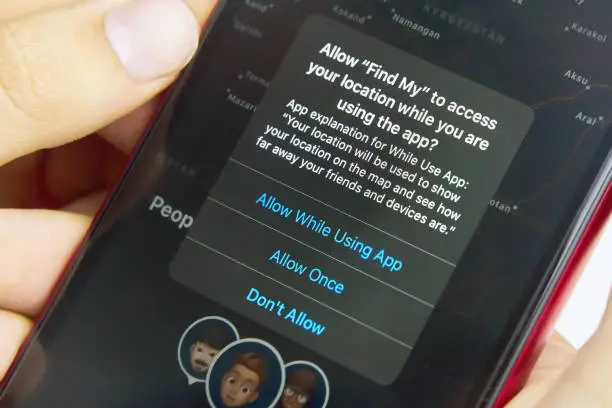
All technology use leaves a digital trail, so take steps to protect your privacy. Use strong passwords, enable two-factor authentication (2FA), keep software updated, install antivirus protection, monitor app permissions, limit social media sharing, turn off cookies and location sharing, and clear your browser history where appropriate.
If you notice unfamiliar apps or programs, seek advice before removing them. If you’re unsure how to improve your digital safety, ask a trusted person or support organisation for help. Learning more about technology, including through free community or online courses, can help you feel safer and more confident.
A note on changing your online behaviour – think about your safety
The Safety New Australia Project highlight the importance of considering how and how much you change your online behaviour when in an abusive relationship. The following is their advice:
Victims often want to stop the abusive behaviour by getting rid of the technology or their digital trail. However, for some abusive individuals, this may escalate their controlling and dangerous behaviour as it can make them feel as though their control is threatened. For example, some survivors choose to use their computer privacy and security settings to ensure their browser always opens in private browsing mode and erases their history on exiting. Others might opt to continue using their usual browser for general online activity, while using a private browser for their confidential online activities. When compiling your Safety Plan, think about your safety first by considering what may happen if you hide or remove all evidence of your online activity.
Where to get more help
The eSafetyCommissioner is Australia's independent regulator for online safety. The website contains information about online safety risks and help to remove harmful content such as cyberbullying of children, adult cyber abuse and intimate images or videos shared without consent as well as help for people experiencing domestic, gendered and sexual violence. There are tips and resources for educators, parents, young people, kids, women, seniors, First Nations and communities.
The Women's Safety and Privacy Toolkit, developed by the not-for-profit Safety Net Australia Project at Westnet, aims to enhance technology safety and privacy for women facing technology-facilitated abuse. The toolkit resource guides include general technology safety tips, online safety and privacy resources and information on smartphones, devices and hardware, stalkerware and location tracking.